
E-BookStore - Shelvy
Project Type: Product Design and Development, specifically focused on creating an innovative and functional rotating bookshelf integrated with a user interface (UI) mobile application.
Role: Research and UI/UX Design
Collaborators: Mety Damte, and Alex Bartley
Duration: 3 Months
Introducing Shelvy, a rotating bookshelf with a user-friendly interface that enhances book storage. The unique design allows books to be placed on all four sides, optimizing space and providing easy access. Users can rotate the bookshelf using a mobile app, maintaining visibility even for books not displayed upfront. The app's UI facilitates book selection, automatically rotating the shelf to the desired side. Emphasizing both functionality and aesthetics, Shelvy ensures ample book capacity while preserving the visual presentation of the collection
-
Users are often confronted with the need to optimize their storage and organization to expand their book collection at home. Conventional bookshelves are inadequate, and the prospect of acquiring more poses a spatial challenge. The quest is for an efficient and space-saving solution that seamlessly accommodates their entire book inventory while maintaining a neat and accessible arrangement
-
Shelvy incorporates a rotating design and an integrated User Interface (UI). This innovative approach allows books to be placed on all four sides of the shelf, providing maximum storage capacity while maintaining a sleek appearance. The rotation feature, controlled through a mobile app, facilitates easy book retrieval, addressing the challenge of locating books not visible from the front display. Through thoughtful design iterations and user testing, we refined Shelvy to strike the perfect balance between aesthetic appeal and functional efficiency. This solution not only meets our initial objectives but also opens avenues for further development, ensuring an optimal user experience in organizing and accessing a home library. Shelvy stands as an innovative and practical response to the stated problem, offering a seamless blend of traditional and digital elements for enhanced home library management.
-
Our collaborative efforts over 10 weeks resulted in the creation of Shelvy, a Smart Bookshelf, that addresses the challenge of enhancing home library storage.
With roles designated among the team members—Alex Bartley overseeing interviews, Mildred Idabor focusing on UI prototypes, and Mety Damte contributing to physical design—we converged on a rotating bookshelf with an integrated UI.
This design allows books on all four sides, optimizing space, and the rotation feature, controlled via a mobile app, ensures easy book access. Despite considering alternative ideas like drop-off slots and underground shelves during ideation, Shelvy emerged as the most practical solution.
Testing and feedback refinement were crucial, leading to a well-received design that strikes a balance between aesthetics and functionality.
Challenges, such as concerns about book movement during rotation, can be addressed in further development.
Shelvy represents a user-friendly and innovative solution to the problem statement of improving home library storage and organization.
Phase I: Emphatize
To comprehend the perspectives and needs of our target users and immerse ourselves in their situations, we employed two empathetic approaches: interviews and surveys. In interviews, we engaged with individuals from various backgrounds, including students, teachers, and librarians, all of whom use physical books regularly. This diverse sampling allowed us to explore different methods of book organization. Our surveys, with both actual and follow-up questions, reached a broader audience, garnering anonymous responses from 23 participants.
Analysis revealed insights, such as varied frequencies of adding to bookshelves, diverse organizational preferences based on priority, genre, color, size, or author, and a substantial demand for an application-connected bookshelf for efficient searching and logging of new books. With this understanding, our design concept aims to seamlessly integrate physical bookshelf space with electronic organizational capabilities, providing users with a comprehensive solution that aligns with their preferences and needs.
Design Process
Phase II: Framing the Problem
On brainstorming, it showed that our targeted audiences are avid readers and collectors of physical books, and our problem statement as defined:
“I want to store and organize my books at home, but I find this hard to do with traditional bookshelves”
The problem to be solved is storage, organization, and space utilization. This problem mostly happens at home, in offices, small spaces, and kitchens and the problem usually occurs when the users need more space for new books or want to re-organize.

Phase III: Ideate
We ideated through brainstorming and met up remotely through Zoom, and in the end, we came up with about 25 design ideas both good and bad for our smart bookshelf.
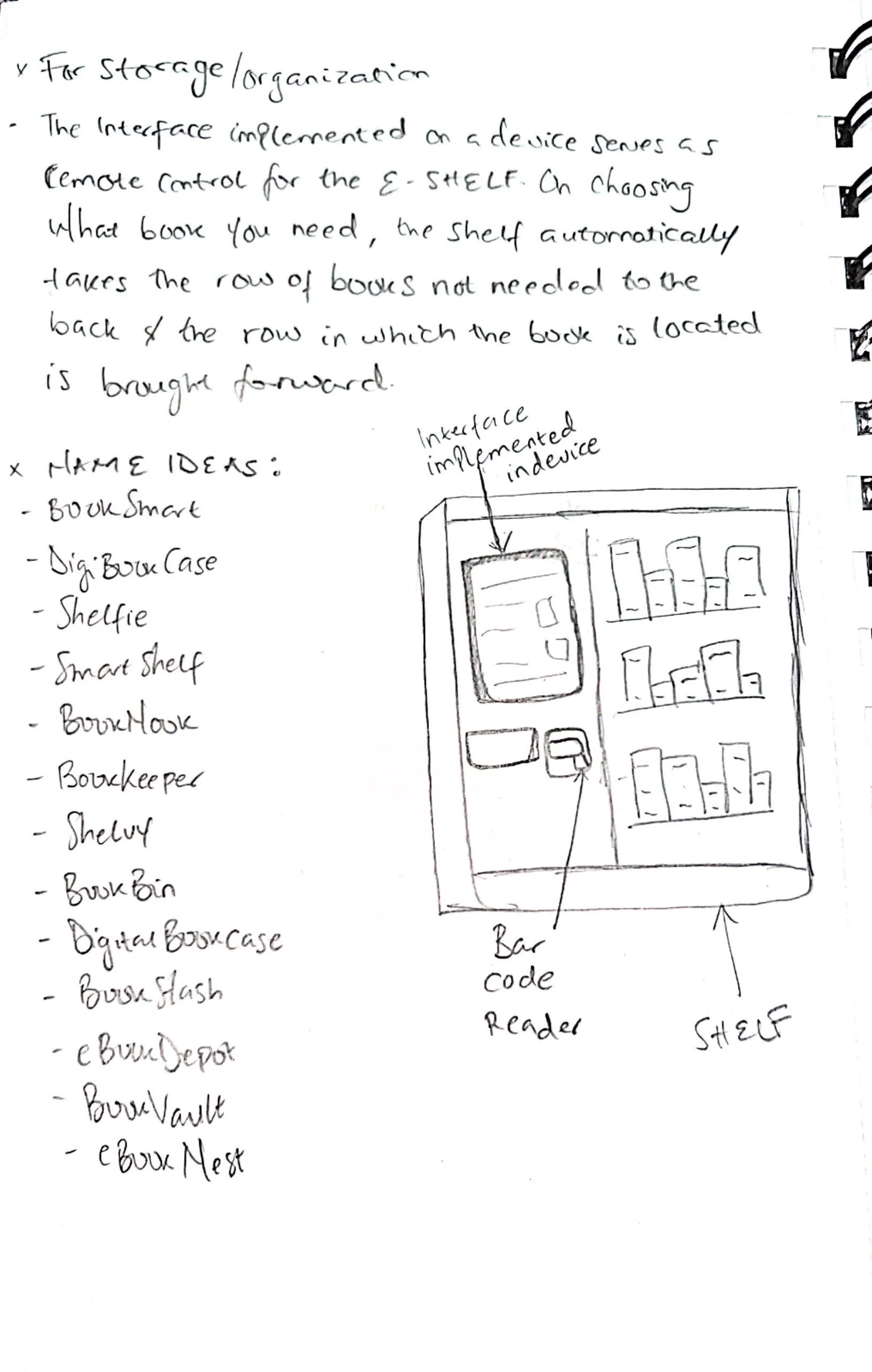
One not-so-good, not-so-bad but incapable idea we had was a tall bookshelf that reaches up to the ceiling and if needed there is a robotic arm or level that comes with the bookshelf that can be used to retrieve and place books in higher rows of the bookshelf. In the end, we stuck with two ideas, the rotating bookshelf, and one combined idea – a shelf with a barcode reader, and an implemented device with a User Interface, night lights, and a drop-in slot.
Initial Designs
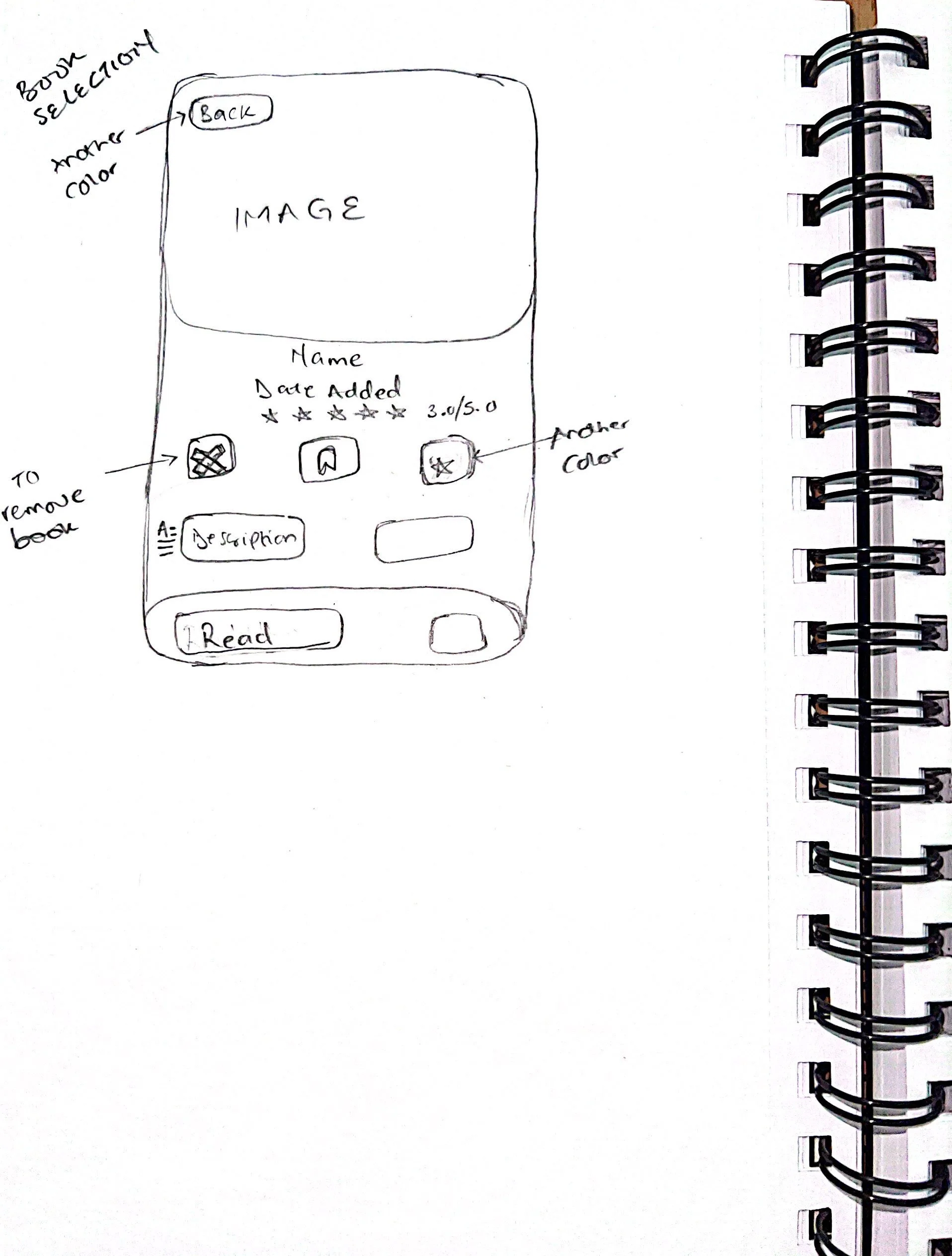
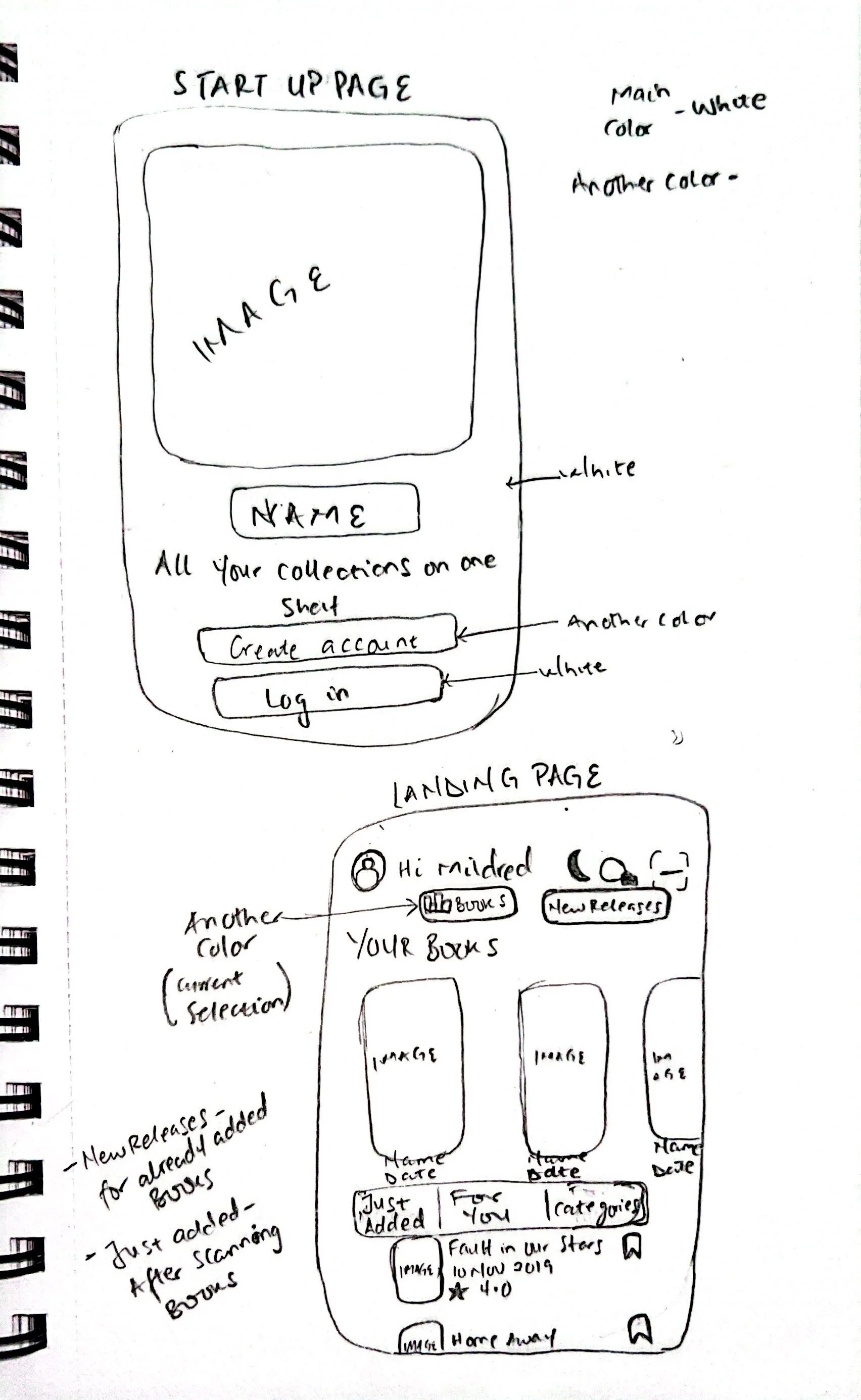
Once we were done with the ideation stage, we knew the final decisions for Shelvy, and designing began. Sketches were made for both the physical designs and the User Interface.
Problem Space

Phase IV: Prototype
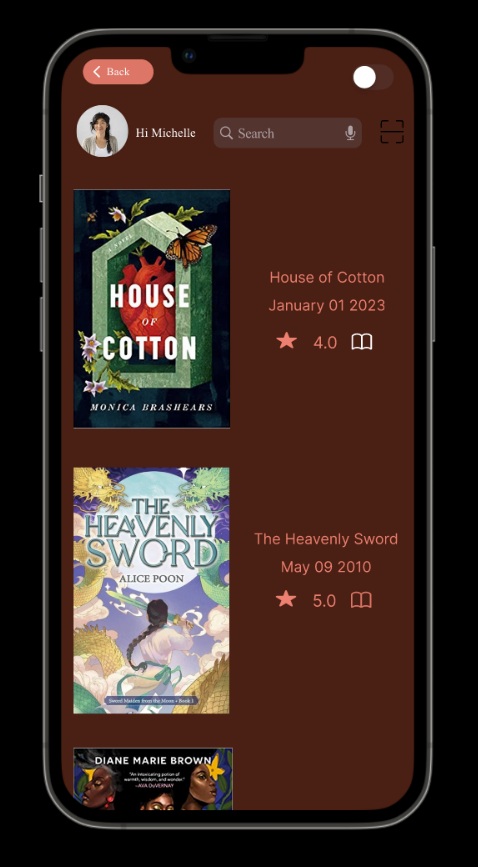
On designing the solution, keeping in mind our users of all kinds, a low-fidelity interactive User Interface for Shelvy was created and it is to be used solely for engaging the users with their shelves.



Specifically, it is designed to enable users to add a new book, see the description, and reviews, and share whatever book of their choice.


Book Description Page
Scan New Book
Get recommendations based on books they have, view categories, and sort their books however they see fit.
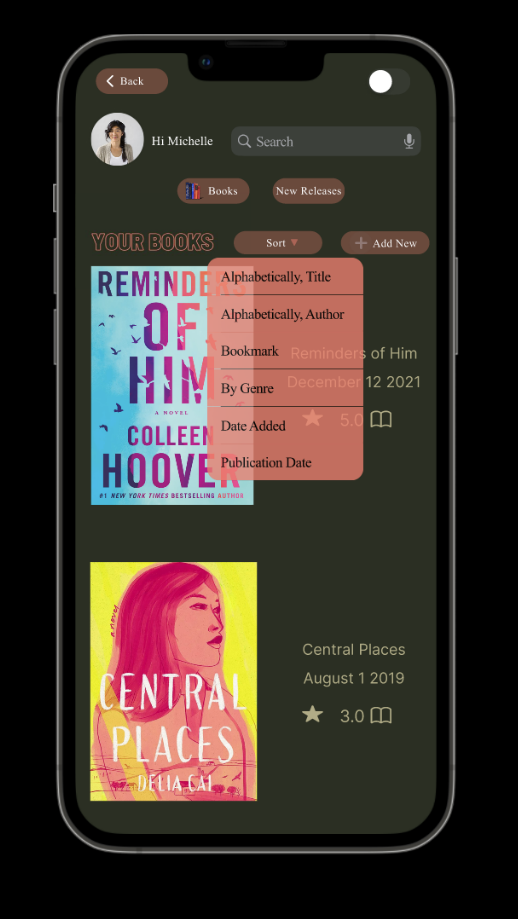

Sorting
Browse Category
Categorized Books
For our impaired users, and those who would prefer a dark mode, to a light mode

Dark Mode

The physical bookshelf was designed using TinkerCAD, and not only was it designed to organize and store books but it’s specifically designed to contain a barcode reader, the implemented device that has the UI, an on/off switch, and brightness control for the night lights
Light Mode

Phase V: Test
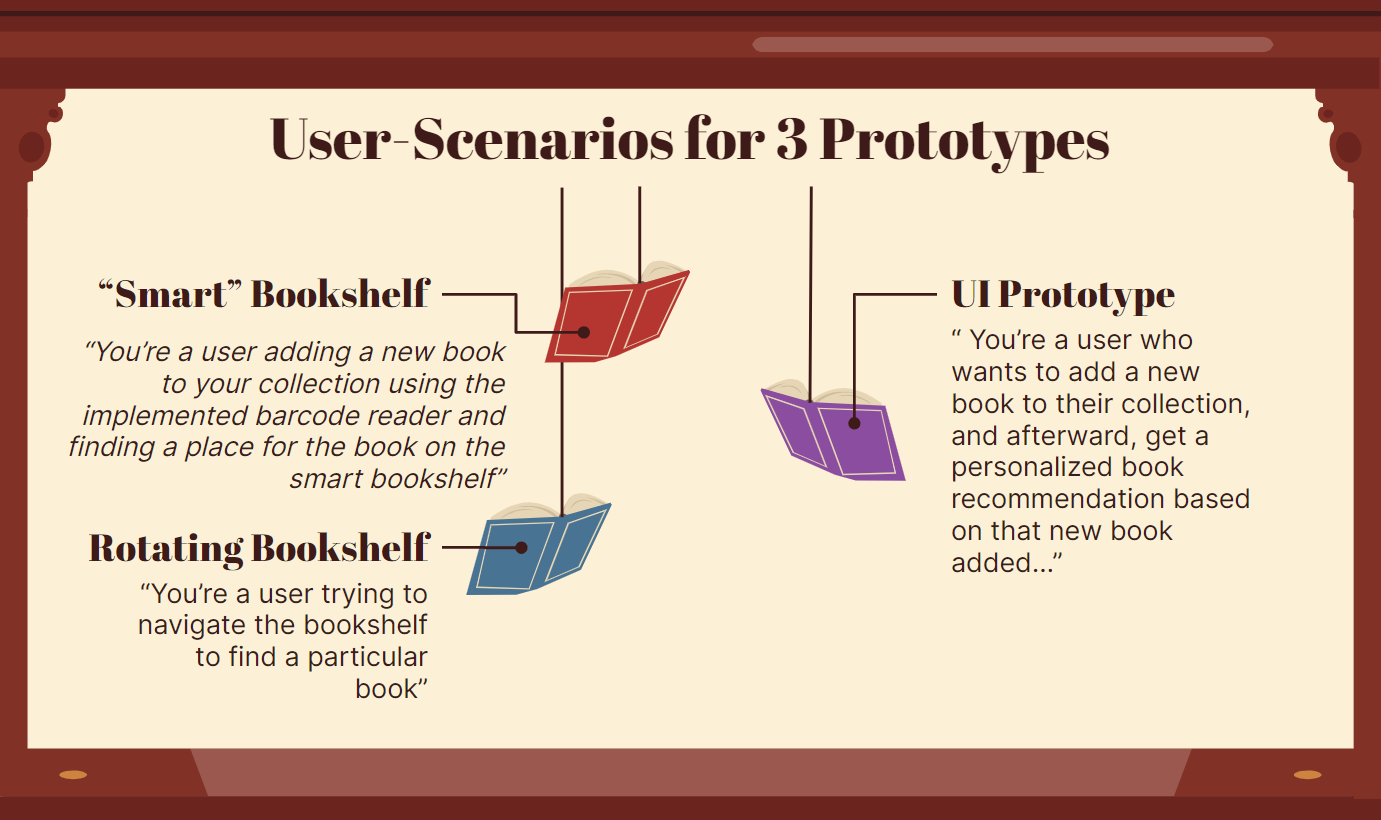
Shelvy operates interactively, employing the user-based (empirical) method for evaluation. This approach provided users with a real-world experience, soliciting valuable feedback for continuous improvement. During the evaluation phase, evaluators were instructed to "think aloud" as they engaged with our user scenario.
User Scenario
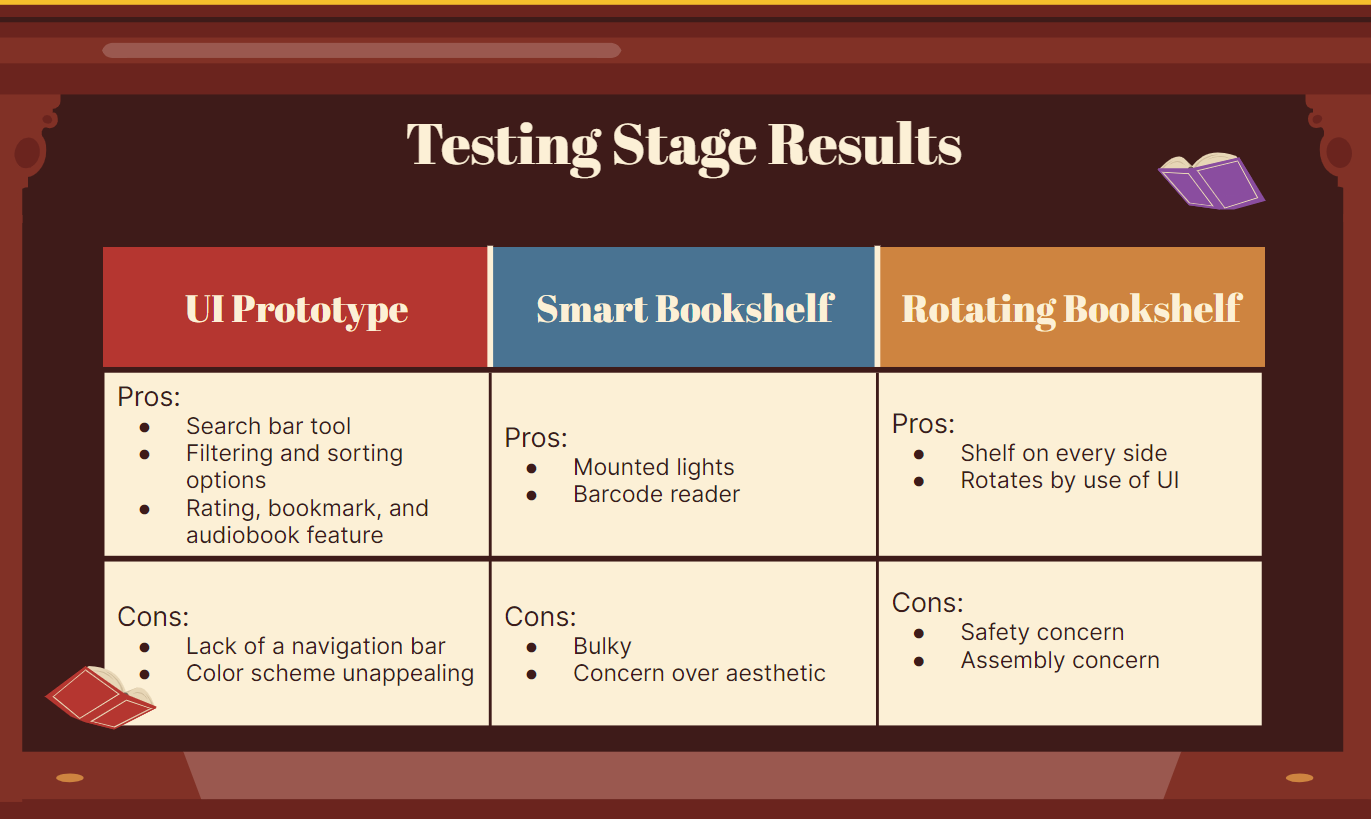
Test Results
Conclusion
Upon navigating through the various design stages, we decided to adopt the Rotating Bookshelf with the developed User Interface as our final design. Despite forgoing mounted lights and a dedicated device, users can still seamlessly control the shelf through the Shelvy app, downloaded as a remote on their phones. After soliciting feedback from our evaluators and carefully evaluating each design option, it became evident that this choice best addressed our initial problem statement. Acknowledging concerns about book safety and shelf assembly, future iterations could include a bar or rod within the bookshelf to prevent book displacement during rotation. Additionally, potential refinements to the User Interface might involve a more appealing color scheme and the incorporation of additional features.