
AdviseManager - Advising Document Management
Project Type: UX Research and Design
Team Lead: Mildred Idabor
Role: Research and UI/UX Design
Collaborators: Janae Hester (UX Designer), Dr. Joshua Nwokeji (UX Researcher)
Duration: 6 Months
A comprehensive academic advising management system designed to revolutionize the student-advisor interaction. From streamlining scheduling and form submissions to empowering users with personalized notifications and efficient meeting note management, AdviseManager encapsulates user-centric design principles. This project showcases proficiency in conceptualizing, designing, and iterating user-friendly digital solutions that enhance the academic experience, ensuring seamless navigation and optimal functionality for both students and advisors.
-
Currently, many universities and colleges use paper-based approaches to manage and track advising forms and processes, this is cumbersome, time-consuming, costly, and inefficient. This project aims to design, prototype, and test a document management system that will be useful, usable, and meet user needs. However, at the moment, the user experience (UX) design team does not have insight into user behavior, needs, preferences, pain points, and motivations for the proposed advising document management systems (ADMS). More so, the design team lacks an in-depth understanding of the overall advising process and user requirements to be incorporated into the design of the proposed ADMS.
-
To overcome the inefficiencies of current paper-based advising processes, our project proposes the development of an Advising Document Management System (ADMS). This solution aims to empower students by offering a user-friendly interface for accessing and managing advising documents, while also streamlining the advising process for advisors through centralized document management and automated administrative tasks. To ensure the ADMS is user-centric, the project will conduct comprehensive research to understand user behavior, needs, and preferences. Additionally, a detailed analysis of the existing advising process will be integrated into the system's design, ensuring a seamless transition to a digital platform that enhances overall efficiency and effectiveness in student-advisor interactions.
-
Phase I: Research
In the research phase, thorough investigations into user behaviors, needs, and pain points laid the foundation for AdviseManager's development. Surveys, interviews, and usability tests provided crucial insights, informing a user-centric approach that became integral to the project's success.
Phase II: Design
The design phase transformed insights from the research into tangible solutions. Wireframes and prototypes were meticulously crafted, incorporating user feedback to ensure the Advising Document Management System (ADMS) not only met but exceeded user expectations. This phase marked the translation of ideas into a visually intuitive and functionally robust digital platform.
After defining our research goals and user research questions, we thoroughly analyzed stakeholders to ensure a comprehensive approach. This laid the foundation for our research plan, supported by a Gantt Chart developed using the Delphi method. The systematic screening and recruitment of participants, facilitated by carefully prepared screening questions, was followed by a meticulous survey design aimed at efficient data gathering.
With informed consent secured, the survey was distributed, successfully recruiting 20 participants, a crucial milestone. These participants contributed valuable insights through User Interviews, Workshops, Card Sorting, and Concept Validation, deepening our understanding.
Phase I - Research
Major Learnings
-
Availability of all forms at a glance, and Sign and submit these forms through the Advising System
An option to turn on High-priority notifications/alerts/reminders and turn off low-priority notifications /alerts/ reminders -
Form tracker to record or track the status of advising forms
Fewer clicks per task (to get information needed or fill out forms)
Easy appointment scheduling
Adaptive and Responsive
Document Handling
Control and customization – Users want the ability to control and customize their notification and reminder preferences and privacy settings
Users want to complete tasks and form submissions online and be able to schedule appointments without any face-to-face interaction
-
Paper-based forms (Frustrated with printing, signing, scanning, and submitting)
Unnecessary notifications and alerts
High usage of emails, making it difficult to track and manage advising forms
High number of clicks i.e., too many clicks to get the information or fill forms you need right away
Slow load and response time, especially applications that slow down at peak times
-
Instant messaging feature
Form manager, tracker & status updates
Advisor Review after each advising activity (summary of advising recommendation/feedback, Advising Traceability)
Sign & submit forms in a timely & orderly manner
Easy appointment scheduling option
-
Notifications and reminders
Form tracking and status updates
Advising traceability
Employment Portal
Messaging system
Information Center
-
Ability to track academic progress
Recommendations for appointments
Access to advisors' areas of specialty
Change of authentication process
Ability to sign and submit forms
-
A feature that would allow users to easily track their academic progress, grades, and degree requirements, alongside suggestions and clear routing for academic careers and all touch points within the system
Notification Customization
Paperless Document Handling
Form tracker and status updates
Integrate an instant messaging feature that would enable quick and direct communication between users in the system
Design a visually appealing and user-friendly interface that would be responsive across various devices and screen sizes.
An in-house way to schedule meetings rather than outsourcing to a different system or tab.
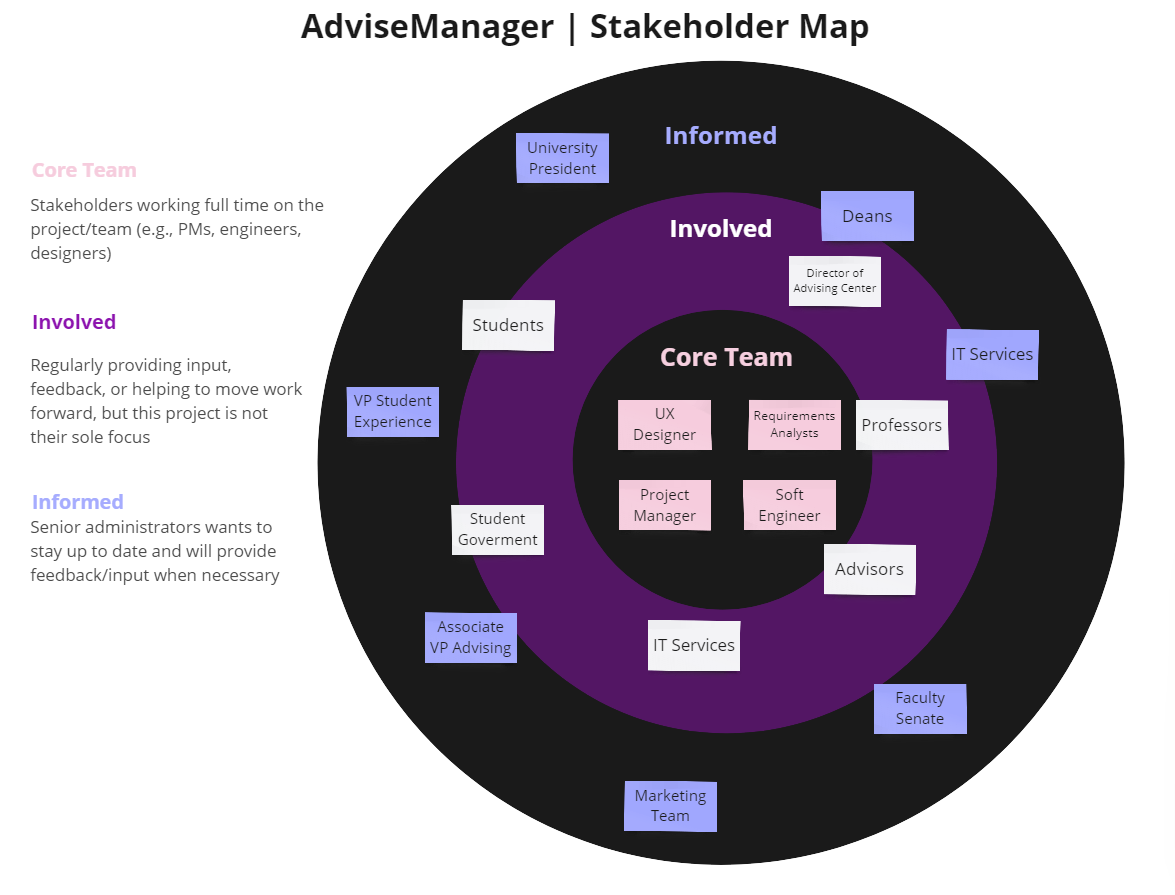
Stakeholder Map

Research Methods Utilized
Phase II - Design
In the design phase, the insights gathered from user interviews, workshops, card sorting, and concept validation were carefully analyzed to inform the creation of wireframes and prototypes, ensuring the Advising Document Management System (ADMS) aligned seamlessly with user needs and preferences. The iterative design process was a crucial step in refining the user experience and maximizing the system's effectiveness.
Sketches
We started with initial sketches to facilitate the conceptualization and visualization of the Advising Document Management System (ADMS) interface, laying the groundwork for subsequent design iterations

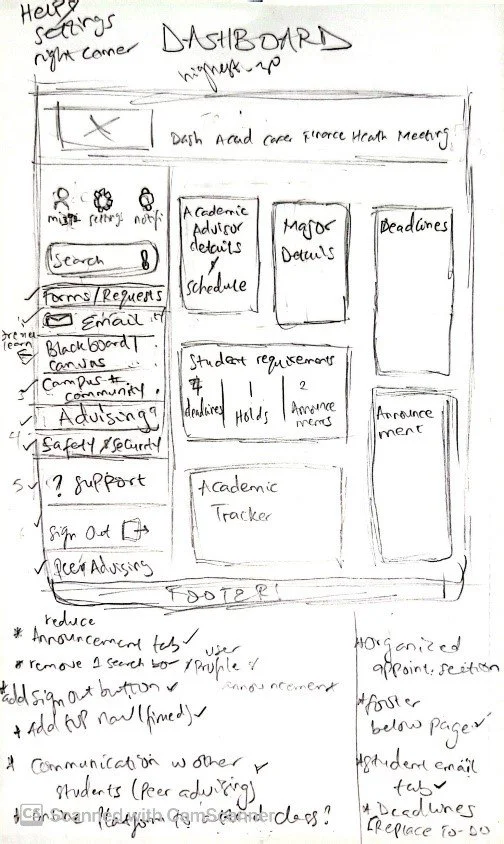
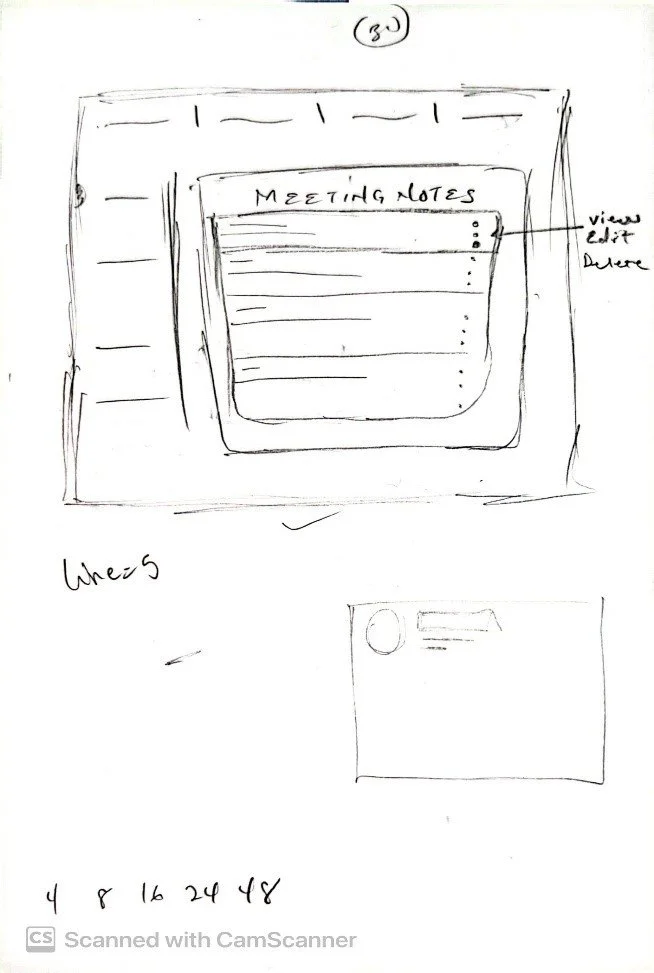

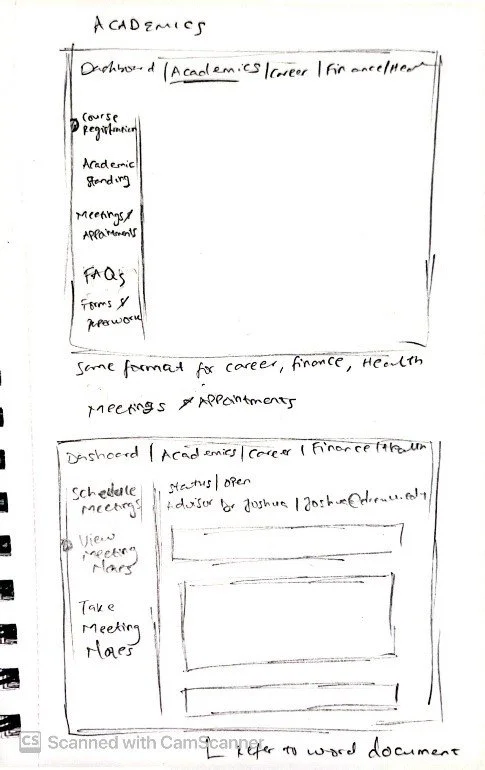

2. Wireframes
We transitioned from initial sketches to the development of wireframes, providing a more refined and structured representation of the Advising Document Management System (ADMS) interface. These wireframes serve as a blueprint for the design, allowing for a detailed visualization of the system's layout, functionality, and user interactions.
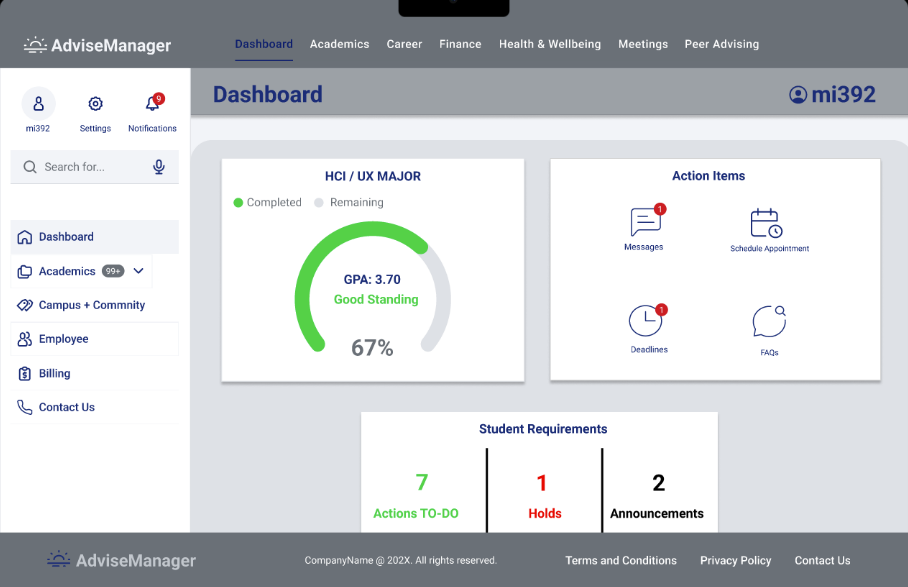
We explored various design iterations for specific screens, notably the dashboard, before moving on to a concept validation phase. This involved testing multiple versions with four teams, each comprising 4 to 5 students, to gather feedback and insights on the most effective and user-friendly interface for the Advising Document Management System (ADMS).
Concept 1 (Dashboard & To-Do Frames)


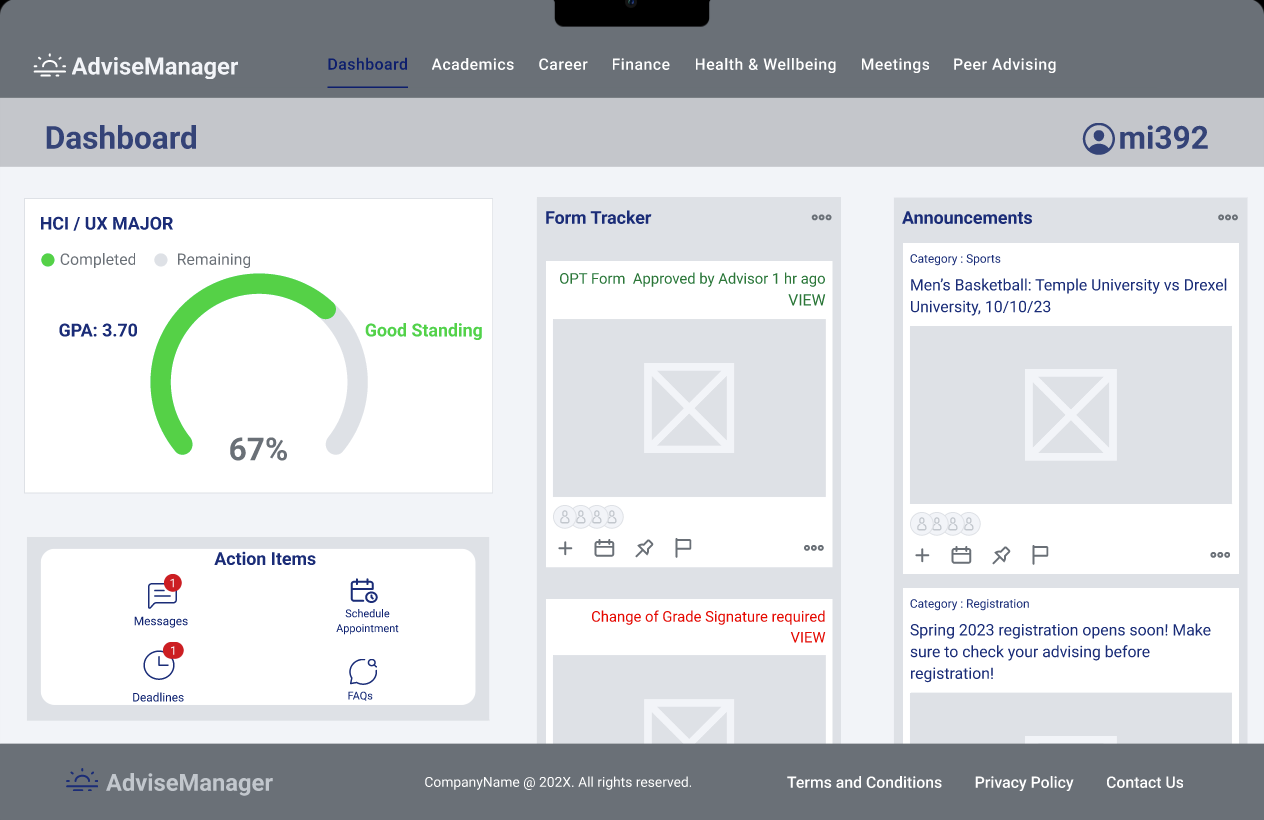
Concept 2 (Dashboard Frames)


Concept 3 (Dashboard Frames)
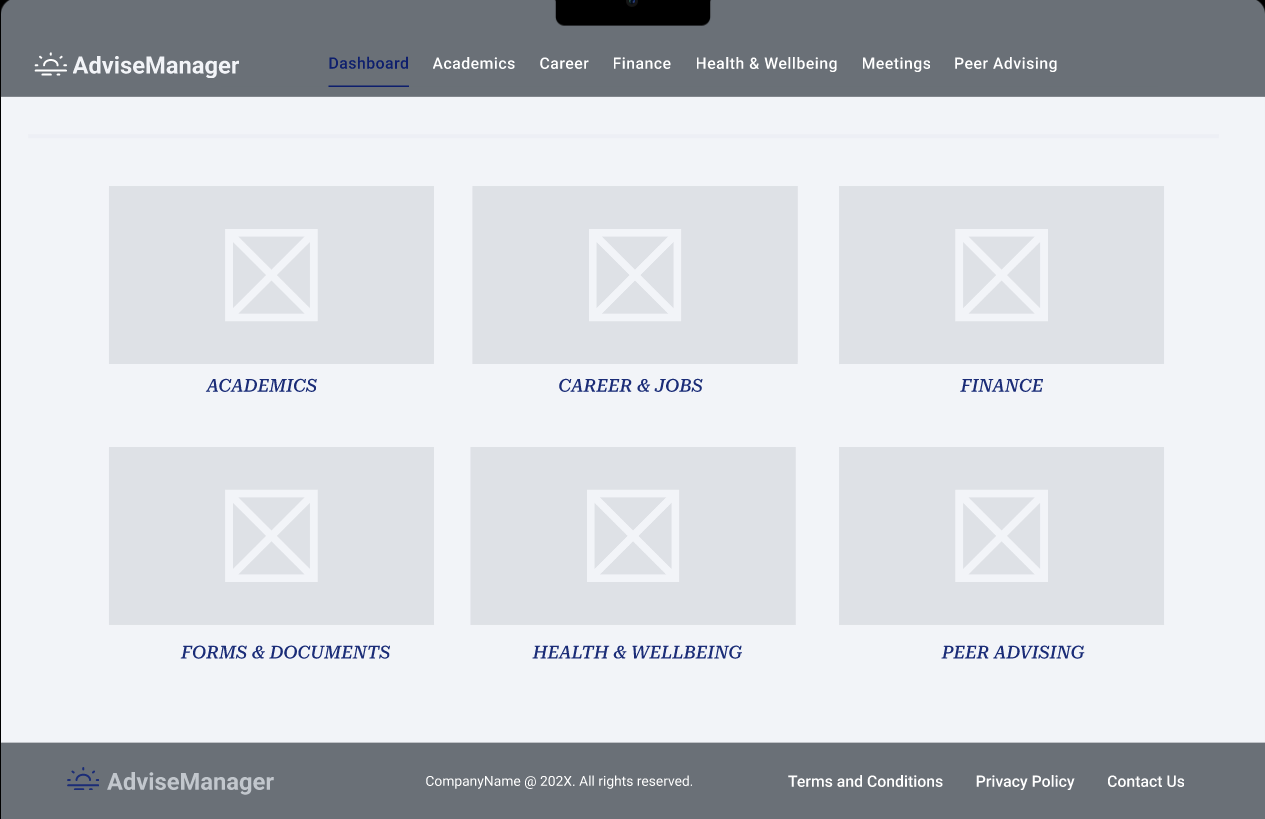
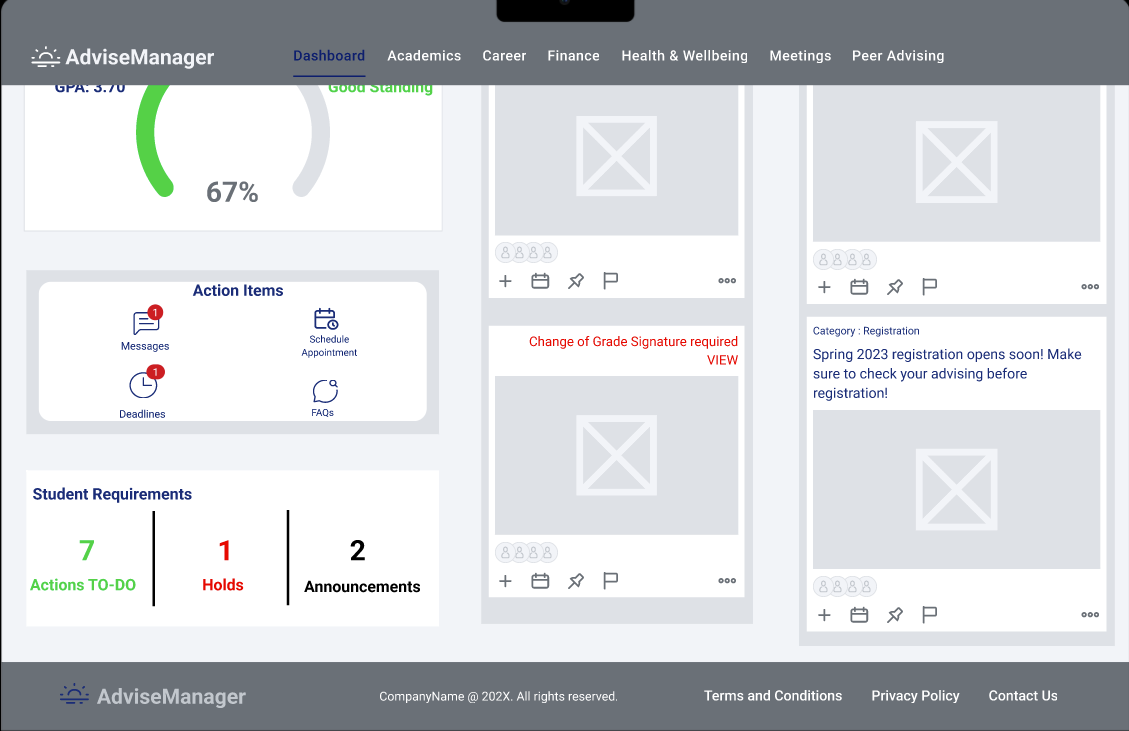
Concept 4 (Dashboard Frames)

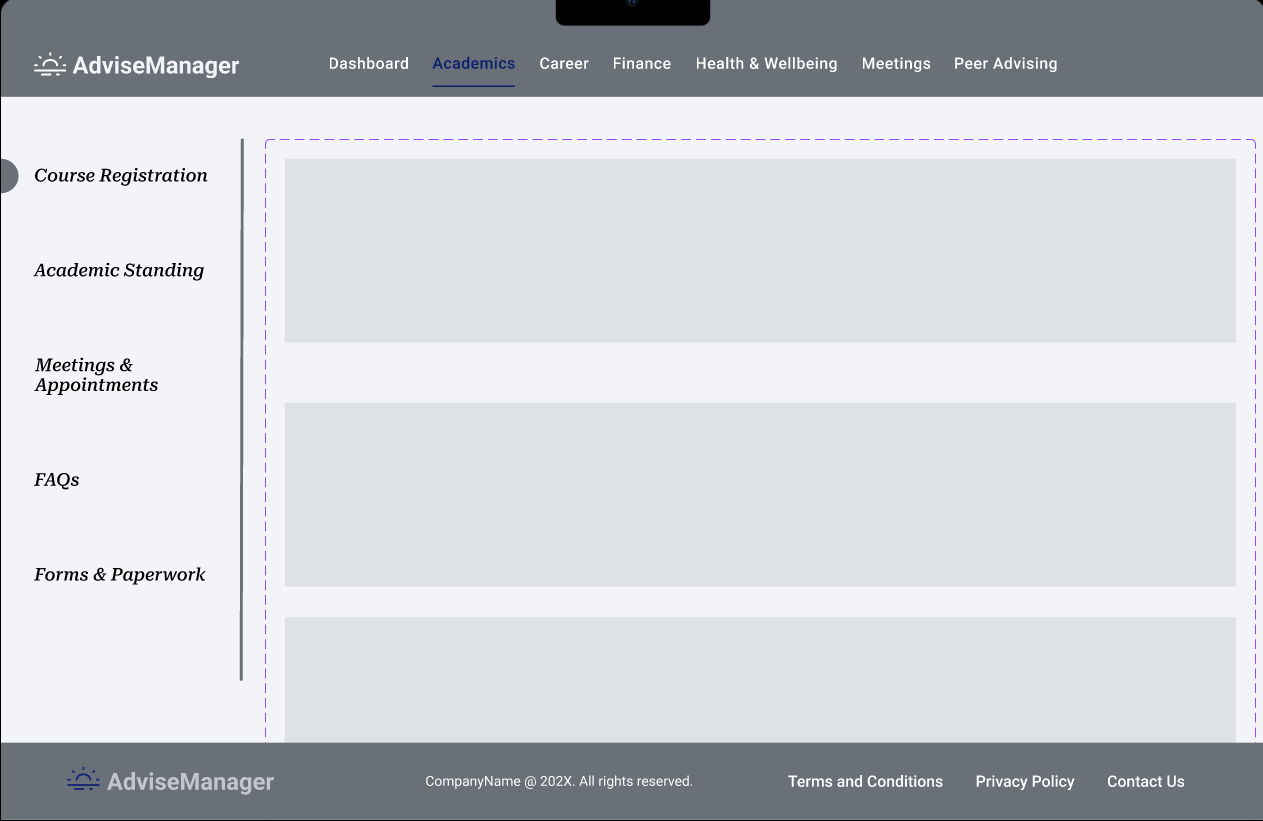
Academics Frame (same design concept for Finance, Health & Wellbeing and Peer Advising)
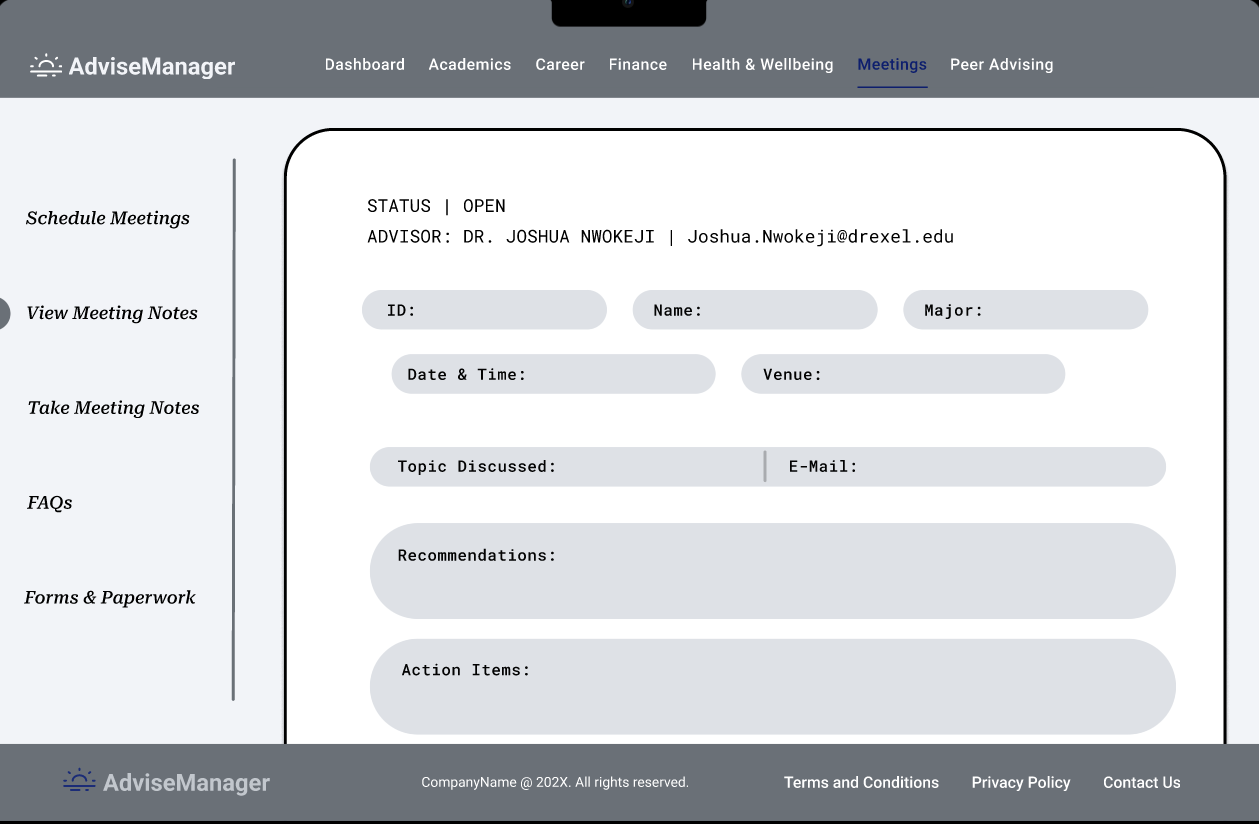
Meetings Frame
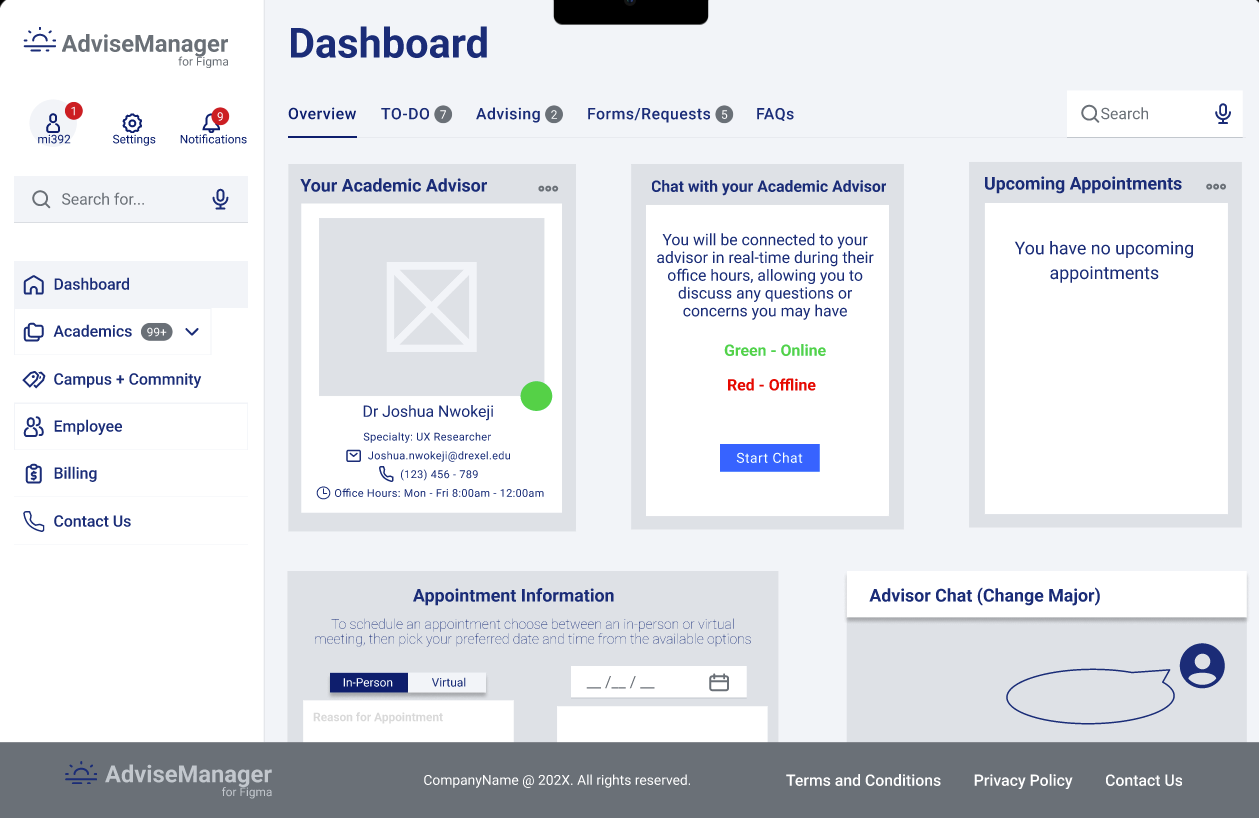
Scheduling Frames

3. High Fidelity/Final Prototype
In the final design process, we iterated on the wireframes to generate a refined and cohesive representation of the Advising Document Management System interface. Transitioning from wireframes to the development of the final prototype, we meticulously incorporated user feedback gathered during concept validation testing. This iterative approach ensured that the system not only met the initial design objectives but also aligned seamlessly with user expectations and needs. The final prototype stands as a culmination of user-centered design principles, presenting a functional and intuitive solution for streamlined advising document management.
We implemented our designs for two institutions: Drexel University, PA, and Gannon University, PA. The designs for both institutions adopt the same layout, with color variations based on the institution's specific color scheme.
Conclusion
Through a comprehensive design process and insightful user feedback, we successfully developed AdviseManager as a platform dedicated to addressing the intricate needs of student advising with a strong emphasis on usability and efficiency. As we proudly present AdviseManager, we also look forward to re-analyzing and further refining the system to ensure it evolves seamlessly and in tandem with the dynamic landscape of user needs and expectations.